10 Things You Can Ask AI to Do Today That Are Actually Useful
If you have never used an AI chat tool like ChatGPT or Claude before, one of the hardest parts is surprisingly simple: figuring out what to ask it.
You open a chat window. There is an empty box waiting for you. And suddenly your mind goes blank.
That is normal.
People often hear that artificial intelligence can transform work, save time, help people learn, and even automate complicated tasks. Some of those claims are realistic. Others get exaggerated. But you do not need to automate an entire company to get value from AI.
You can start with something you already need to do today.
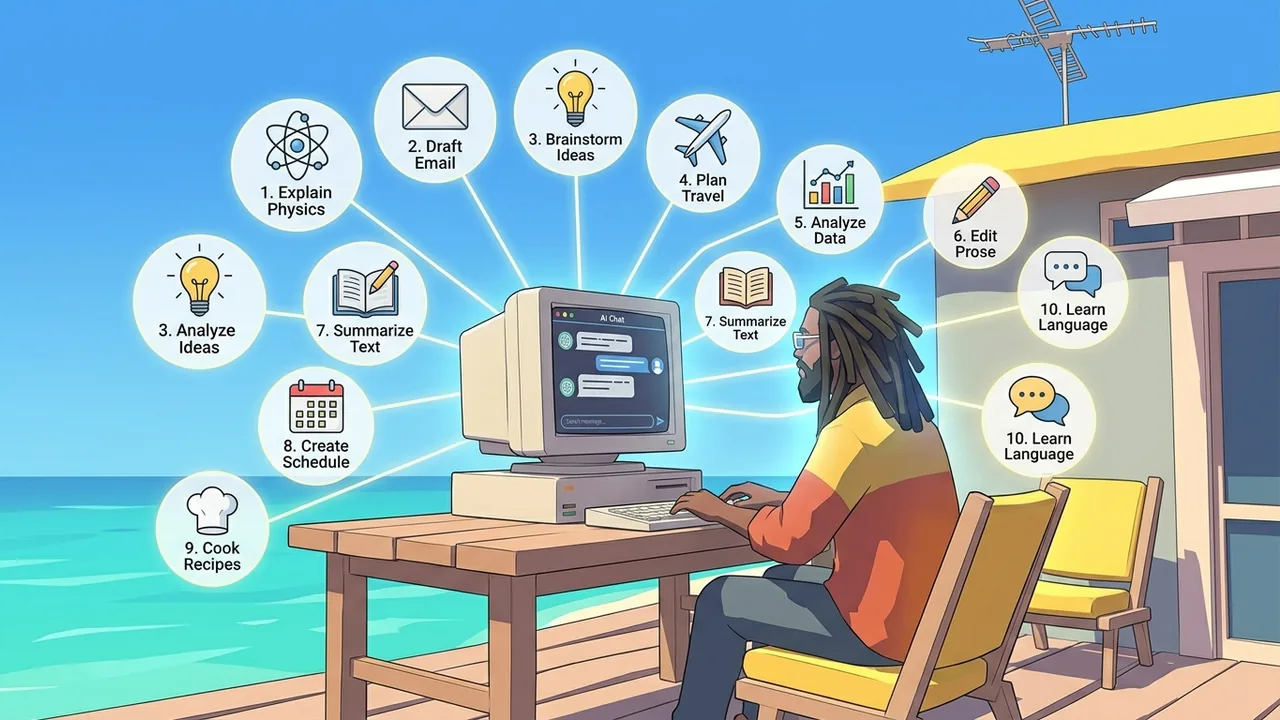
Here are 10 practical ways to use an AI chat assistant without knowing anything about programming, automation, or how AI works behind the scenes.
1. Ask AI to Explain Something You Do Not Understand
One of the simplest uses for AI is asking it to explain something.
You might type:
“Explain compound interest like I am 15.”
Or:
“What is a mortgage escrow account? Explain it without using financial jargon.”
ChatGPT and Claude can both answer questions and explain concepts conversationally. [1][2]
The real advantage comes from follow-up questions.
If the explanation is still confusing, you can say, “Make that simpler.”
If it is too basic, say, “Now explain it at a college level.”
You can even request an analogy:
“Explain cloud computing by comparing it to renting an apartment.”
Instead of searching through five websites hoping one explains the topic at the right level, you can keep adjusting the explanation until it makes sense to you.
2. Ask AI to Help You Plan Something
AI is useful for turning a vague goal into an organized plan.
For :
“Help me plan a three-day trip to Chicago for two adults who like food, museums, and architecture.”
Or:
“Create a five-day dinner plan for a family of four. Each meal should take less than 30 minutes.”
You can use the same idea for projects, workouts, study schedules, parties, home improvements, vacations, or even cleaning your garage.
The more useful information you provide, the better the plan usually becomes.
“Plan my vacation” does not give the AI much to work with.
“Plan a four-day vacation to San Diego for two adults with a $2,000 budget who like beaches, good food, and outdoor activities” gives it much more direction.
For plans involving current prices, schedules, availability, laws, or business hours, ask the AI to check current information rather than assuming everything in its existing knowledge is still accurate.
3. Ask AI to Rewrite Something You Already Wrote
You do not always need AI to create something from scratch. Sometimes it is more useful as an editor.
Suppose you wrote:
“Hey, I wanted to check if you got the invoice because I sent it several days ago and haven’t heard anything.”
You could ask:
“Rewrite this so it sounds professional and polite without sounding overly formal.”
AI assistants can help draft, rewrite, summarize, and adjust writing for different purposes and styles. [1][2]
You can ask for almost any adjustment:
“Make this shorter.”
“Make this easier to understand.”
“Make this sound friendlier.”
“Rewrite this for someone who does not understand technical terminology.”
This works for emails, reports, resumes, social media posts, presentations, letters, and many other types of writing.
You should still review the final result before sending it. AI can improve your wording, but it does not understand your relationships, intentions, or workplace culture as well as you do.
4. Ask AI to Brainstorm Ideas
Sometimes the problem is not doing the work. It is figuring out where to start.
AI can generate ideas quickly.
You could ask:
“Give me 20 birthday gift ideas for a 12-year-old who likes science and video games.”
Or:
“Give me 15 names for a landscaping company that sound professional but not boring.”
Or:
“I want to exercise more consistently. Give me 10 realistic ways to make it easier to stick with.”
Claude specifically describes brainstorming and generating different viewpoints as common uses for the tool, and ChatGPT similarly supports creative suggestions and brainstorming. [1][2]
You do not have to accept the first list.
You can say:
“I like ideas 3, 8, and 12. Give me 10 more ideas similar to those.”
That is where AI becomes much more useful. Instead of treating the first response as the answer, you treat it as the beginning of a .
5. Ask AI to Compare Your Options
Choosing between several options can become difficult when each one has different advantages.
AI can help organize the comparison.
For example:
“Compare leasing versus buying a car for someone who drives about 8,000 miles per year and normally keeps a car for six years.”
Or:
“Compare these three laptops based on battery life, portability, screen quality, and video editing performance.”
You can also tell AI what matters most to you.
“Price is my biggest concern. Reliability is second. Appearance does not matter much.”
That allows the comparison to reflect your priorities instead of giving every feature equal importance.
Be more careful when decisions involve current prices, investments, medical issues, insurance, legal questions, or rapidly changing products. In those situations, current information and qualified professional advice may matter more than a general AI comparison.
6. Ask AI to Summarize Something Long
AI can help when you have a long document but only need the important parts.
You might ask:
“Summarize this report in plain English and give me the five most important points.”
Or:
“Read these meeting notes and tell me what decisions were made and who was assigned each .”
Modern AI assistants can work with uploaded documents in supported versions of their products. ChatGPT, for example, supports common document formats such as PDF, DOCX, PPTX, XLSX, CSV, and TXT files. [3]
That makes AI useful for reports, meeting transcripts, research papers, contracts, spreadsheets, presentations, and other lengthy material.
There is an important limitation, though. A summary is still a summary.
If you are reviewing a legal agreement, medical report, financial document, or anything else where one small detail could matter, do not assume the summary contains everything important.
7. Ask AI to Organize Messy Information
A lot of everyday work is not about creating new information.
It is about cleaning up information you already have.
Imagine you have this list:
“Call dentist, send invoice to Mark, buy dog food, project report due Friday, Mom’s birthday Saturday, schedule oil change.”
You could paste it into AI and ask:
“Organize these into work tasks, personal errands, appointments, and deadlines.”
You could also paste rough meeting notes and ask:
“Separate these into decisions, open questions, action items, and things that need follow-up.”
This may not sound as exciting as asking AI to design a spaceship, but it is probably more useful on a Tuesday afternoon.
8. Ask AI to Help You Prepare for a Conversation
AI can help you think through an important conversation before you actually have it.
For example:
“I need to ask my manager for a raise. Help me organize the main points I should discuss.”
Or:
“I need to tell a contractor that I am unhappy with the work without making the conversation hostile.”
You can even ask the AI to role-play the other person.
“Pretend you are my manager. Push back on my request so I can practice responding.”
This can be useful for job interviews, sales calls, negotiations, presentations, customer service situations, and uncomfortable conversations.
AI cannot predict exactly how another person will . But practicing possible responses can help you prepare for questions or objections you may not have considered.
9. Ask AI to Teach You Something Step by Step
Sometimes you do not need an explanation.
You need instructions.
You could ask:
“Teach me how to create a household budget step by step. Assume I have never made one.”
Or:
“Show me how to create a pivot table in Excel. Give me one step at a time.”
A pivot table is a spreadsheet tool that helps summarize and organize large amounts of data.
You can even tell the AI how you want to learn:
“Do not give me all the steps at once. Give me one step, let me complete it, and then continue.”
This creates a different experience from reading a traditional tutorial.
You can interrupt whenever something is confusing.
You can ask why a step matters.
You can request another example.
You can even say, “I clicked that button and I do not see what you described. What should I check?”
That conversational back-and-forth can make learning much less frustrating.
10. Ask AI What It Could Help You With
This may be the most useful beginner question of all.
Tell the AI what you actually do and ask it to identify opportunities.
For example:
“I am a teacher. I spend time preparing lessons, writing parent emails, creating activities, and organizing classroom information. What are 20 practical things AI could help me with?”
Or:
“I own a small plumbing company. I answer customer questions, prepare estimates, schedule jobs, write invoices, and follow up with customers. Where could AI save me time?”
This changes the question from:
“What can AI do?”
to:
“What can AI do for me?”
That distinction matters.
ChatGPT and Claude support a broad range of activities including writing, learning, summarizing, brainstorming, planning, analyzing information, and answering questions. [1][2]
But you do not need to use every feature.
You only need to find one that solves a problem you already have.
Start With Something Real
You do not need to study artificial intelligence for three months before using it.
Start with something that is already sitting on your to-do list.
Ask AI to explain something confusing.
Have it clean up an email.
Use it to organize messy notes.
Ask it to compare two choices.
Let it help you plan a project.
Then keep talking to it.
One of the most important things for beginners to understand is that the first answer is not supposed to end the conversation. AI chat assistants are designed to respond to follow-up questions and additional instructions. [1]
If the answer is too long, tell it.
If the explanation is confusing, ask for another one.
If it misunderstood what you wanted, correct it.
If one idea is promising, ask it to develop that idea further.
The best way to understand what AI can do is not to memorize a giant list of AI features.
Open a chat and give it something useful to do.
References
OpenAI. “What is ChatGPT: FAQ.” OpenAI Help Center. Updated 2026.https://help.openai.com/en/articles/12677804-what-is-chatgpt-faq
Anthropic. “What are some things I can use Claude for?” Anthropic Help Center.https://support.anthropic.com/en/articles/7996845-what-are-some-things-i-can-use-claude-for
OpenAI. “What types of files are supported?” OpenAI Help Center. Updated 2026.https://help.openai.com/en/articles/8983675