From Single Agent to Swarm: How to Build and Manage Parallel Subagents in Codex

The Turning Point: From Repetition to Reusability
Your first successful run with Codex is a breakthrough. You provide a , point to a folder, and watch it work. This initial success feels powerful. But the reality of the second run, and the tenth, quickly sets in. You are retyping the same instructions, defining the same folders, and repeating the same explanations. This manual repetition is not a scalable system. It is a bottleneck.
The core value of an platform is not in doing a once. It is in codifying the task so you never have to explain it from scratch again. This guide is about making that leap. We will move from manual, one-off prompts to a structured, reusable system. We start with a foundational document, then create specialized subagents, and finally orchestrate a swarm of them working in parallel.
The Foundation: Crafting an Actionable AGENTS.md
Your project's AGENTS.md file is the central playbook. It is not just documentation for people. It is the primary source of and instruction for your artificial agents. A simple AGENTS.md might list project goals. A powerful one defines a clear, repeatable process that an agent can execute autonomously.
Let's construct one for a concrete : generating a weekly social media plan from a list of key events. This task involves analysis, scheduling, and drafting—a perfect candidate for automation.

A well-structured AGENTS.md acts as a codified playbook for your agents.
A comprehensive AGENTS.md must explicitly state:
Source & Destination: Define exact input locations (e.g., 'Find the input CSV file in the 'data_input' folder named 'weekly_events.csv') and output locations ('Save the final plan to the 'plans' folder as a Markdown file').
The Workflow Stages: Break the job into distinct, ordered phases. For our social media plan:
Analysis: Review the event list and identify priority themes and dates.
Scheduling: Map themes to specific days and platforms (e.g., Twitter, LinkedIn).
Drafting: Write concise post copy for each scheduled item.
Formatting: Assemble the draft into a clean, publishable document.
Role Definitions: Assign clear responsibilities for each phase. For example, 'The Analyst role is responsible for Phase 1, ensuring no high-impact event is missed.'
By this structure into AGENTS.md, you create a standing order. Instead of crafting a new prompt each week, you can instruct Codex with: 'Execute the standard social media planning workflow on the new data in the input folder.' The agent consults the playbook and knows precisely what to do.
Specializing with Custom Subagents
An AGENTS.md file defines the process for a general-purpose agent. A custom subagent takes this further by embodying a specific role. It is a dedicated instance of Codex configured for one slice of the workflow.
The distinction is important. AGENTS.md tells an agent to ' a scheduler for this task.' A custom 'Scheduler' subagent *is* a scheduler, permanently. Its instructions, focus, and output style are built into its configuration.
Creating a subagent means crystallizing a repeatable task into a permanent, on-call specialist.
You do not need to write code to create one. Within Codex, you define a new agent by providing:
Name & Identity: e.g., 'Social Media Analyst.'
Core Directive: A concise statement of its purpose. 'Your purpose is to analyze weekly event lists and extract the top three thematic priorities for content.'
Process : The exact steps it must always follow. '1. Load the specified CSV file. 2. Identify event frequency and implied importance. 3. Output the top three themes with a one-sentence rationale each. 4. Format the output as a simple list.'
Behavioral Traits: Guidance like 'Focus on audience relevance. Avoid overcomplication.'
Once saved, this subagent becomes a tool. You invoke it directly, and it performs its dedicated function without needing the broader context of the full AGENTS.md playbook for its specific job.
Building a Sequential Workflow Team
A single specialist is useful. A coordinated team is transformative. Here, your main Codex agent acts as a foreman, managing handoffs between specialized subagents. Initially, this runs sequentially.
Let's expand our social media example. Instead of one agent doing all phases, we design a three-agent :
The Analyst: Takes the event list, outputs priority themes.
The Scheduler: Takes the themes and maps them to specific days and platforms.
The Drafter: Takes the schedule and writes the post copy for each item.
In a sequential run, Codex would run the Analyst, wait for its output, pass that to the Scheduler, then pass that result to the Drafter. This is already more reliable than a single agent, as each subagent is optimized for its task.
Unlocking Parallel Execution
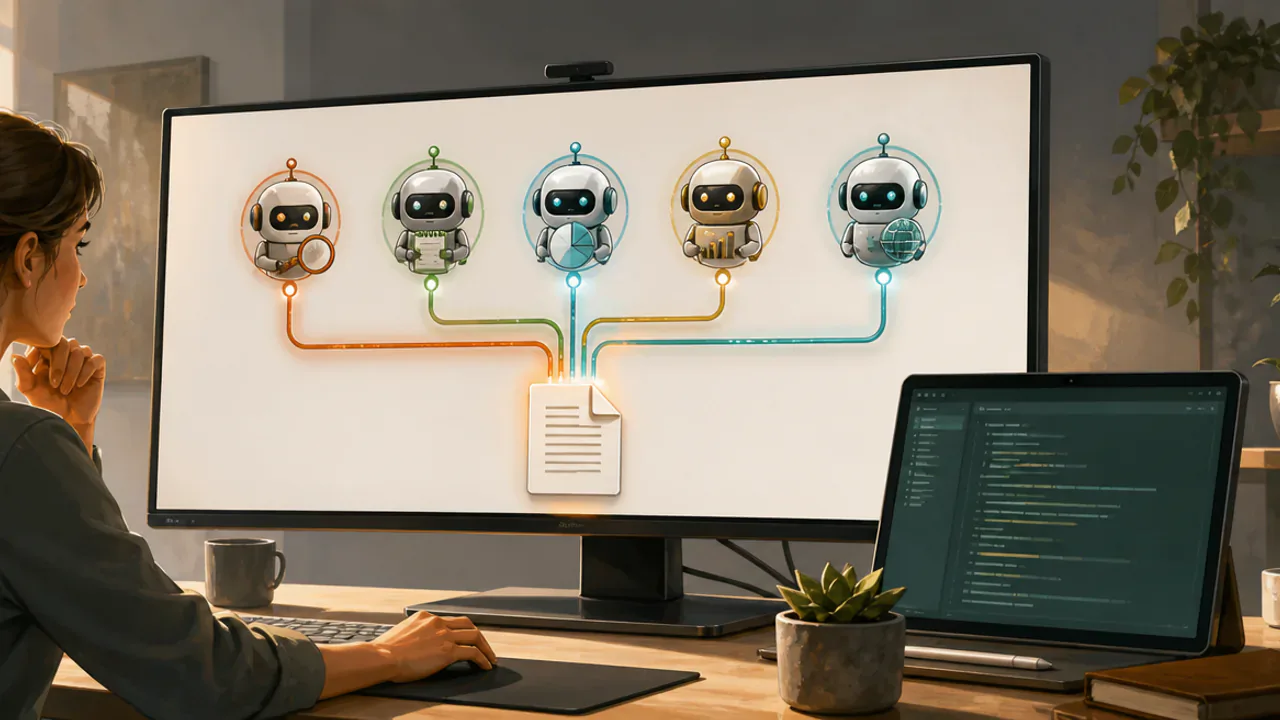
Parallel execution delivers dramatic efficiency gains. The key is identifying tasks that do not depend on each other's output. For instance, imagine you have five separate client projects, each needing its own social media plan. These are independent tasks, ideal for parallel processing.
You instruct the main Codex agent: 'For each of the five client CSV files in the 'clients_this_week' folder, execute the full social media planning workflow in parallel.' Codex can then initiate separate instances of your workflow—or direct calls to your team of subagents—for each client file, managing them simultaneously.

Running independent tasks in parallel compresses your workflow timeline.
The result is not just faster in theory. It creates a powerful batch-processing capability. You submit a batch of inputs and return to a folder of finished, consistent outputs. This pattern fits numerous scenarios: generating performance reports for multiple departments, pre-processing a batch of customer feedback surveys, or drafting initial responses to a queue of support tickets.
Scaling to Five Parallel Agents
The concept scales directly. The 'five parallel agents' in the title refers to running the same multi-stage workflow (or a single complex agent task) across five separate input items at once. Your main orchestrating agent manages the queue. It is not that you always need five different *types* of subagents, but that you are processing five jobs concurrently. This is where the system's scalability shines. You are limited only by your platform's resources and the independence of the tasks.
Your Agent-Readable Implementation Prompt
The following prompt is designed to be copied and pasted directly into Codex. It will guide you through creating your own parallel subagent system interactively, pausing for your review at each major step.
I want to build a reusable, parallel subagent workflow in Codex. Please guide me through the following steps interactively. Wait for my confirmation after completing each step before proceeding.
Step 1: Foundation. Help me analyze a recurring task I describe. We will break it into 3-5 discrete stages and define clear input sources and output locations. We will then draft an AGENTS.md file that codifies this workflow.
Step 2: Specialization. Based on the first stage of my workflow, help me define a custom subagent. We will give it a name, a core directive, specific process rules, and behavioral traits. We will then create this subagent in Codex.
Step 3: Team Building. We will repeat Step 2 for the second and third stages of my workflow, creating two more specialized subagents. We will clearly define the handoff between each agent's output and the next agent's input.
Step 4: Orchestration & Parallel Test. Finally, help me write a master instruction for Codex that uses these three subagents in sequence on a single task. Then, help me adapt that instruction to process three separate input tasks in parallel. Let's test this with example files.
Using this prompt, you are not just reading about the method—you are executing it with your agent as your guide. This hands-on, iterative approach ensures you understand each component as it's built and verifies the outputs at every stage.
From Tutorial to Permanent System
The journey from a single prompt to a multi-agent parallel system changes your relationship with Codex. It stops being just an interactive tool and becomes an automatable layer of your operational stack. The initial time spent setting up your AGENTS.md and subagents pays compounding dividends in saved mental energy and eliminated repetition.
The social media example is a . The core pattern—defined input, structured passes, consistent output—is universal. Apply it to software development (issue triage > priority assessment > task creation), to financial review (transaction import > categorization > report ), or to research synthesis (paper collection > summary extraction > literature map).
Start by documenting one repetitive task that costs you time each week. Build its AGENTS.md. Then, carve off the most well-defined part into your first custom subagent. Experience the shift from drafting instructions to invoking a specialist. From there, scaling to a coordinated team—and then a parallel swarm—becomes a logical, empowering progression. Your future self will appreciate never having to explain that job from the beginning again.