agent-team: Split a Big Task Across a Crew of Agents Without the Mess
Tell Claude Code to "build the user feature" and it works through it one piece at a time. Types, then the model, then the routes, then tests, then docs. One , one long line of work. It gets there, but you wait for the whole chain even when half of it could have run at once.
Now tell it to "use five agents and go fast." Sometimes that works. Often two agents write their own version of the same type, a third edits a file a fourth is also editing, and you burn the time you saved cleaning up the collision. Naive parallel work trades a slow run for a messy one.
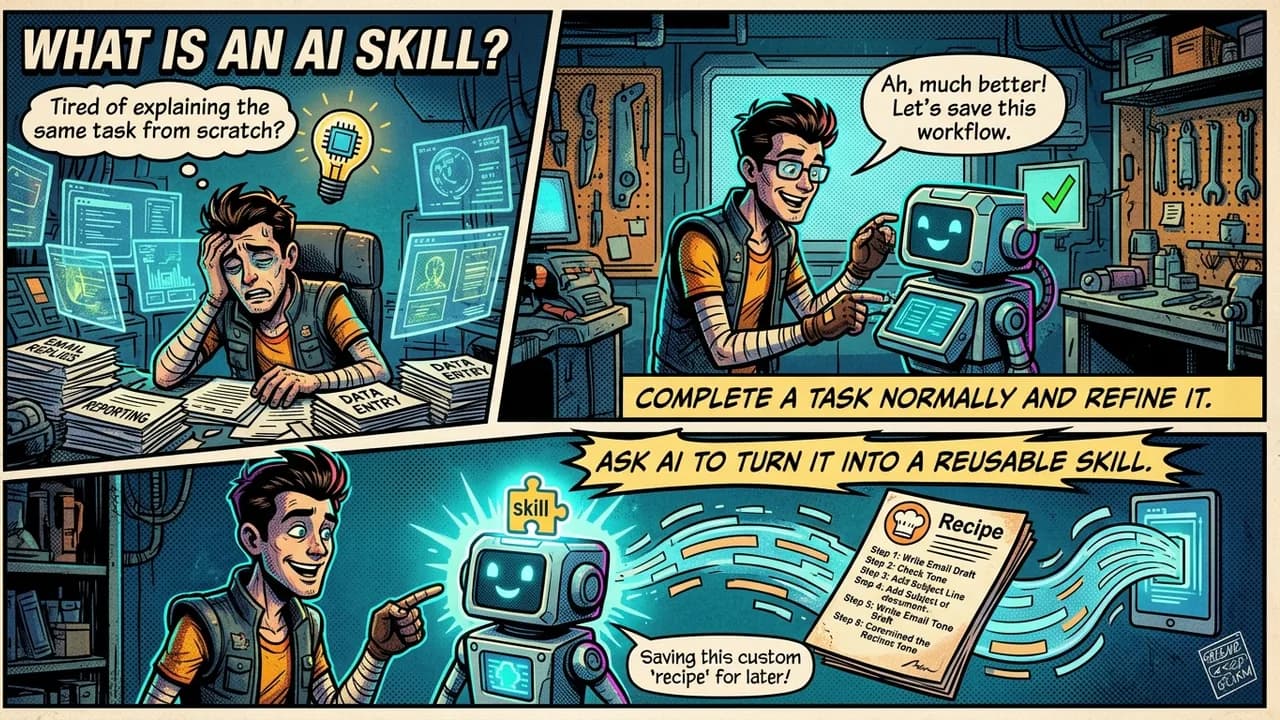
agent-team is my fix for that. It is an open-source skill that takes a rough and writes one . That prompt tells your coding agent which parts of the work can run at the same time, which parts have to wait, how hard each agent should try, and how to report back in plain language. You paste the prompt, it runs, you read one clean summary.
A key point up front: agent-team does not run the agents itself. It writes the prompt that does. Think of it as the person who plans the job and hands out the assignments, not the crew that carries them out.
What it actually does
Give it a task and it works through five steps.
It breaks the task into small units of work. Then it looks for dependencies. If one unit needs another unit's output, the second one has to wait. A shared type or schema counts here, and this is the part people skip. Next it groups the independent units into parallel phases and chains the dependent ones into sequential phases. Every phase is labeled, so you can see the run order at a glance. Then it assigns agents, one per independent unit, up to seven running at once, with the rest in later waves. Last it writes the report format so you get findings, concerns, failures, and what worked, at a reading level a high-schooler could follow.
The dependency check is the whole game. Take the user feature from earlier. The types are a shared contract. The model, the routes, the tests, and the docs all use them. So the types get their own short phase first, alone. Then the other four fan out together. Skip that ordering and each agent guesses at the type, and you end up with four versions that do not match. Thirty seconds of sequencing saves an hour of cleanup.
Who it is for
If you run multi-step work in Claude Code or Codex, this is for you. Solo builders get the most out of it, because you are the one who would otherwise sit through a long single-threaded run or untangle a sloppy parallel one.
You do not need to know how sub-agents work under the hood. You describe the task in plain words. The skill handles the phase planning, the agent count, and the report shape. If you have a strong opinion, you can set the number of agents and the effort level yourself. It will respect both and flag anything that does not add up, like asking for five agents on a job that only splits three ways.
Why bother
A few reasons, and each one maps to a real problem I hit while building it.
without the collisions. Independent work runs together. Dependent work waits its turn. You get the time savings of parallel agents and skip the merge mess that usually comes with them.
Effort you control. Each agent runs at Low, Medium, or High. Low is a single quick pass for cheap mechanical work, like reading files or a simple search. High does the work, checks itself, then checks its answer a second way before reporting. High is the default, because for most real tasks the extra care pays for itself. You dial it down when the job is simple and you want to save .
Reports you can read. Sub-agents hand back terse dumps by default. agent-team forces a plain summary per agent, so you are not decoding jargon to find out what happened. Each agent tells you what it did, what it found, what worried it, what it could not finish, and what it got done.
A crash you will not see. When several agents finish at once and each returns a big pile of output, the combined result can overflow the main agent and freeze the session. It looks like the tool just hangs. agent-team routes large output to a file and passes back a short summary and the file path instead. After the final report is on your screen, it deletes those temporary files on its own. Your real work stays. The scratch files go.
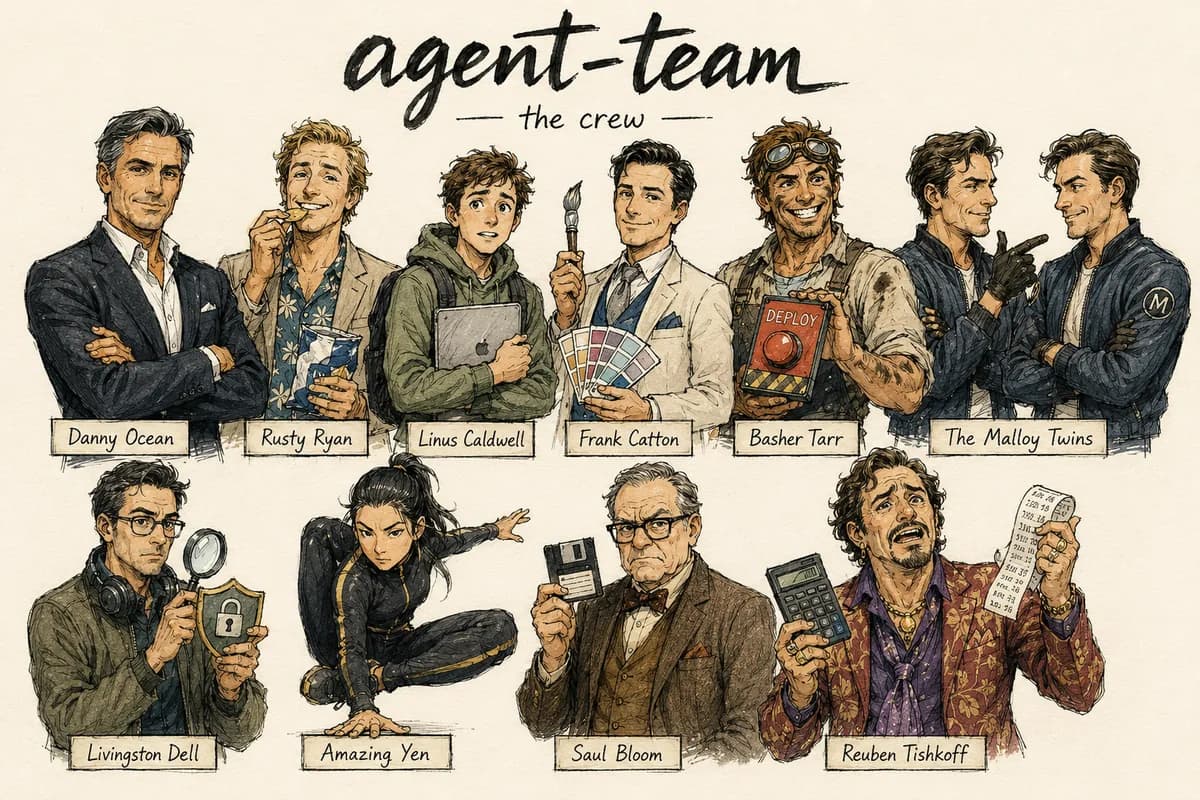
There is also a heist mode, and it is off by default. Turn it on and each agent gets a name and a role from an Ocean's Eleven style crew. Security work goes to Livingston. Deploy scripts go to Basher. Frontend goes to Frank. The names show up as plain-text in your terminal logs, so parallel work is easy to tell apart while it streams by. The tags are the only thing that changes. The final report stays plain either way, because a cute log that buries your findings is worse than a boring one that shows them.
How to use it
Once it is installed, you call it by name. A few examples:
/agent-team audit my codebase across frontend, , db, and auth
/agent-team build the user feature: types, model, routes, tests, docs
/agent-team research these 5 competitors, use 3 agents, high effort
/agent-team audit the app: security, frontend, deploy config. heist mode on
You get back one prompt block and a single line describing the plan. For the user feature it reads something like: two phases, one sequential agent first for the types, four parallel agents second, five agents total, effort high. Copy the block into Claude Code or Codex and run it. When it finishes you get the consolidated report, and the temporary files clean themselves up.
Working in a plain chat like Claude Chat or ChatGPT instead of a coding tool? You can still use agent-team to write the prompt there. The repo ships a portable version you paste in, or set as a Custom instruction. The chat writes the delegation prompt. You run it wherever your agents actually live. A plain chat plans the job. Claude Code or Codex does it.
How to install it
The repo is at github.com/thebpandey/agent-team. Pick the path that fits how you work.
For Claude Code as a skill, clone it into your skills folder.
Windows PowerShell:
git clone https://github.com/thebpandey/agent-team "$env:USERPROFILE\.claude\skills\agent-team"
Mac or Linux:
git clone https://github.com/thebpandey/agent-team ~/.claude/skills/agent-team
For the slash command, copy the command file into your commands folder so /agent-team works in any project.
Windows PowerShell:
Copy-Item ".\claude-code\agent-team.md" "$env:USERPROFILE\.claude\commands\agent-team.md"
Mac or Linux:
cp ./claude-code/agent-team.md ~/.claude/commands/agent-team.md
For Claude Chat, upload the folder as a skill. For ChatGPT or Codex, open portable/agent-team-prompt.md and paste that block in. That is the whole setup.
It is released under the MIT license, so you can use it, change it, and ship it in your own work. It comes with no warranty, which for a prompt generator means one thing: read the prompt before you run it, the same as you would with any command someone hands you.
One habit worth keeping
The skill saves you the planning, but it does not replace your judgment. Before you run a generated prompt, read the phase plan. Check that nothing in a parallel group actually depends on something else in that group. Nine times out of ten it is right. The tenth time is why you still look. Plan the job, then check the plan. That is the trick, with a crew or without one.