The Complete Guide to Building Reusable AI Agent Teams with Codex
The Problem with One-Off AI Prompts
When you first start using AI agents like Codex, the results are thrilling. You give a command, and it executes a . However, a frustrating pattern quickly emerges. You find yourself retyping the same instructions, specifying the same folder structures, and outlining the same workflow session after session. The magic of automation fades into the manual labor of repetition.
This guide is about breaking that cycle. We're going to move from fragile, disposable prompts to robust, reusable systems. Instead of explaining a job every time, you'll build a standing team that knows its role, its process, and its deliverables. We'll use the of creating editorial research briefs, but the underlying framework can be adapted to client reports, sales intelligence, or competitive analysis.
Step 1: Your First Standing Order – The AGENTS.md File
Think of the AGENTS.md file as your agent team's permanent playbook. It's a markdown file that lives in your project directory, and Codex reads it at the start of every session. This file eliminates the need for repetitive setup instructions.
Your initial AGENTS.md might be a simple list of . The breakthrough comes when you structure it as a set of defined roles and workflows. Here’s a basic example for our research team:

This file is a static document. Its power lies in giving Codex a persistent . You no longer start from zero; you start from a shared understanding of the mission and the players.
Beyond Basic Instructions
A sophisticated AGENTS.md file dictates not just who does what, but how they hand off work. You can define the sequence of operations, the expected output format for each stage, and even quality checkpoints. This a list of agents into a coordinated assembly line.
The real win isn't the one-off help; it's never having to re-explain the same job twice.
Step 2: Creating a Specialist – Your First Custom Subagent
If AGENTS.md is the team playbook, a custom subagent is a dedicated specialist player. While AGENTS.md provides general rules for Codex's main instance, a subagent is a finely-tuned AI configured for one specific, repeatable task.
Let's create our "Topic Analyst" subagent. Its sole job is to take a one-sentence idea and expand it into a set of research themes and guiding questions.
In Codex, creating a subagent involves defining its core instructions, its personality, and its output rules. You are essentially packaging a complex into a reusable asset. The key difference is permanence and focus. The AGENTS.md file guides the overall session, but the subagent owns a single, critical slice of the workflow.
For our Topic Analyst, the configuration might emphasize curiosity, breadth of thinking, and the ability to identify non-obvious angles. Once saved, this subagent can be invoked by name anytime, anywhere in your project, and it will perform its specialized duty without you redefining it.
Step 3: Architecting the Workflow – From Linear to Parallel
With a playbook and a specialist created, the next evolution is . A linear workflow—where Agent A finishes, then hands to Agent B—is efficient but slow. The true power of a team is parallelism.
Here's how we design a parallel research workflow. The process starts with the Topic Analyst subagent. Once it produces its list of themes, those themes can be distributed simultaneously to multiple agents.
- Theme 1 (Market Trends) goes to a Data Gatherer subagent.
- Theme 2 (Competitor Analysis) goes to a different Data Gatherer subagent.
- Theme 3 (Customer Pain Points) goes to a third Data Gatherer subagent.
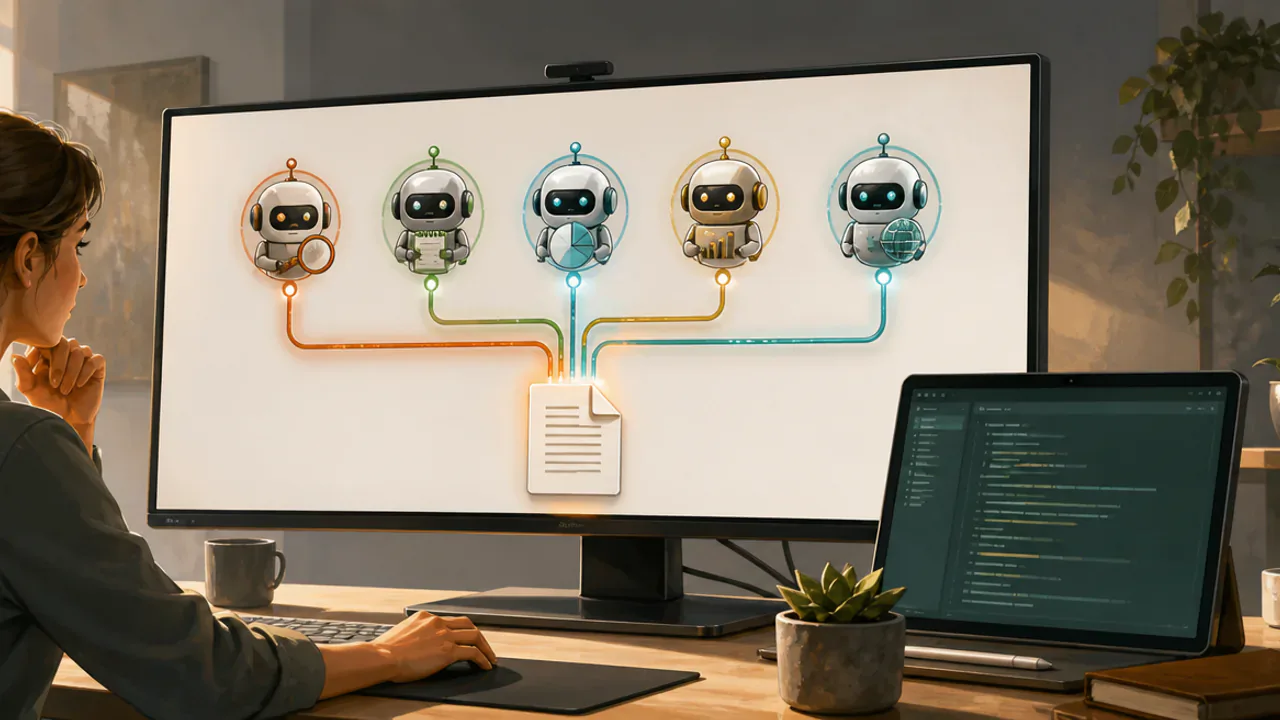
All three gatherers work at the same time. Their findings are then collated and passed to the Structure Architect, who creates a unified outline. That outline is then sent to the Brief Writer. Finally, the Quality Reviewer checks the complete draft.

This model cuts the total clock time of the task. Instead of waiting for each step to finish sequentially, multiple steps happen concurrently. The surprise, when you first run it, is seeing five distinct workstreams progress and conclude nearly simultaneously, handing you a complete set of outputs.
Step 4: Running Your Five-Agent Team
Execution is simpler than the setup. With your AGENTS.md file in place and your subagents configured, you initiate the workflow with a single, high-level command to Codex. For example: "Execute the full research brief workflow for the topic 'The future of remote work in 2025.'"
Codex reads the AGENTS.md, understands the roles and sequence, and begins invoking the subagents. You can watch in real time as it:
- Calls the Topic Analyst.
- Splits the output and dispatches tasks to three parallel Data Gatherers.
- Feeds all gathered data to the Structure Architect.
- Sends the final outline to the Brief Writer.
- Routes the draft to the Quality Reviewer for final checks.
The output is not one file, but a suite of files delivered to your specified output directory: the expanded themes, the raw data per theme, the master outline, and the final, polished brief. The entire process is automated, reproducible, and ready to be triggered again with a new topic.
The Agent-Readable Advantage
This guide is designed to be agent-readable. You don't have to memorize these steps. Instead, you can provide a specific prompt to Codex that walks it—and you—through the entire setup process, step-by-step. It will pause after each major milestone, allowing you to verify the output before proceeding. This turns the learning process into a collaborative build session.
Adapting the Framework to Your Work
The editorial brief example is just a . The core pattern—source input, defined roles, parallel processing, artifact output—is universal.
- For Weekly Reporting: Your agents could be Data Puller, Trend Spotter, Summary Writer, and Slide Deck Formatter. They pull from APIs, analyze week-over-week changes, write summaries, and format slides in parallel.
- For Sales Prep: Agents could Company Researcher, Prospect Profiler, Pain Point Hypothesizer, and Email Drafter, creating a complete pre-call dossier in minutes.
- For Meeting Synthesis: A team could include Transcript Parser, Action Item Extractor, Decision Logger, and Follow-up Email Composer.
The methodology remains constant. You define the repeatable job, break it into discrete specialist roles, codify the workflow in AGENTS.md, build the subagents, and then execute in parallel. You stop being a constant instructor and become a system architect.
Getting Started: Your First Parallel Run
Begin small. Don't try to build a five-agent system on day one.
- Identify one repetitive task that you explain to an AI at least once a week.
- Draft a simple AGENTS.md file that outlines two roles: a "Preparer" and a "Formatter."
- Create one custom subagent for the "Preparer" role. Give it clear, focused instructions.
- Run a linear workflow with just these two steps and refine the process.
- Once that works, look for a step that can be parallelized. Can the "Preparer" split its output for multiple "Formatters" to work on simultaneously?
This iterative approach lets you build confidence and understand the mechanics before scaling. The goal is to create a library of subagents and workflows that turn your most common, complex tasks into simple, one-command operations. You shift from managing work to managing a team that manages the work for you.