The Essential Skill Stack: 17 Tools to Transform Your Hermes Agent

You’ve installed Hermes.
It can answer questions, write documents, search through information, and even write code. But there is a big difference between an that can answer a request and one that can reliably handle a complicated job from beginning to end.
That difference often comes from the and skills you give it.
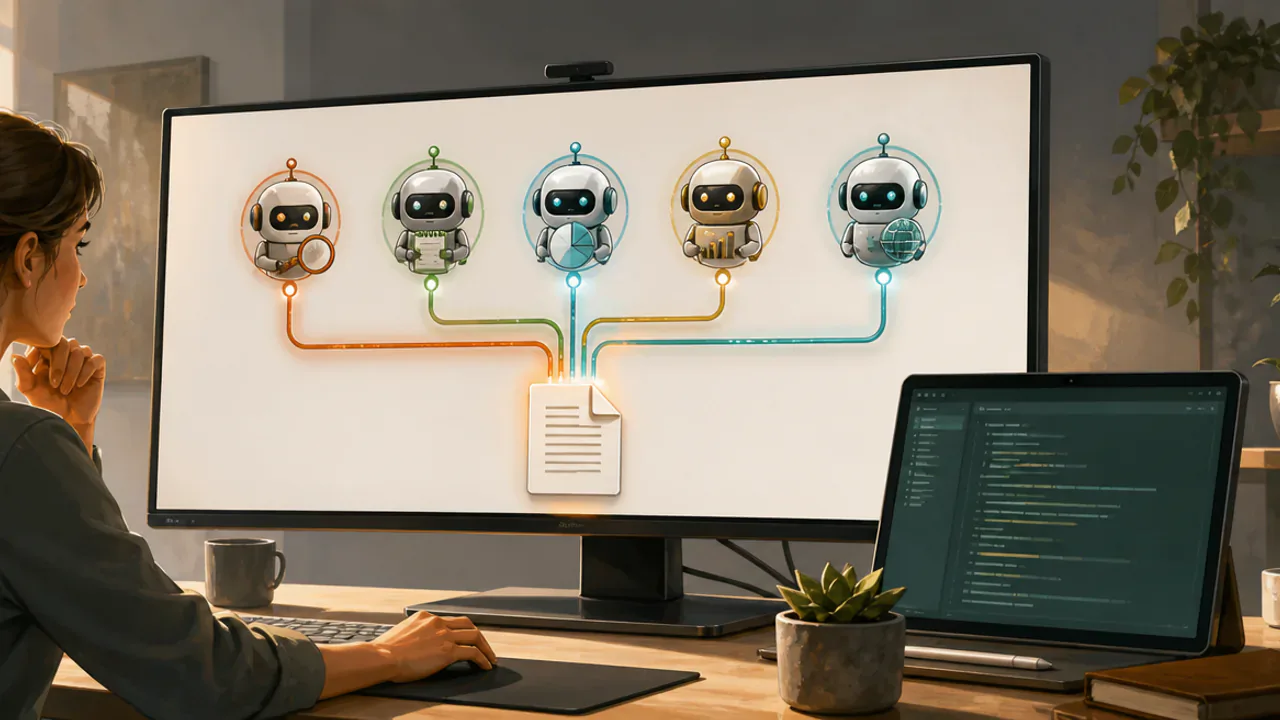
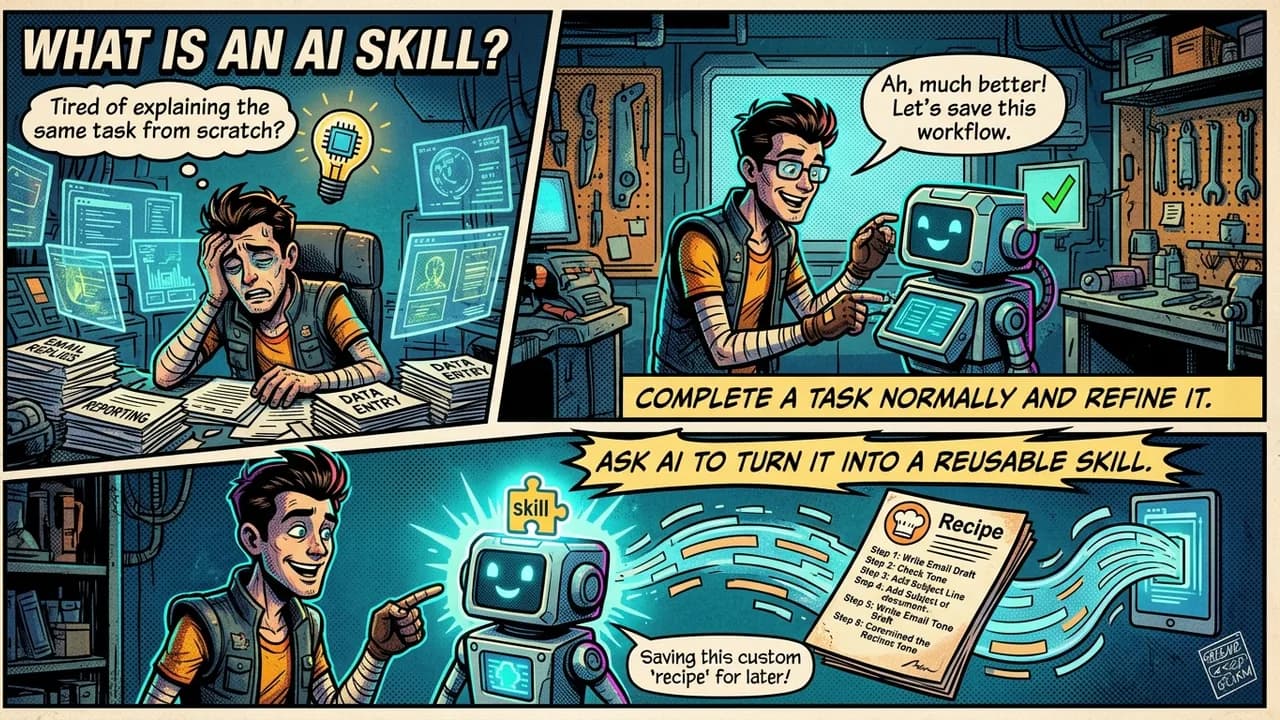
A skill is a set of instructions that teaches an AI agent how to perform a particular type of work. Think of it like a recipe. Instead of explaining the same process every time, the agent can load the recipe and follow the steps.
Some of the projects below are true Agent Skills. Others are command-line tools, larger software systems, or integrations that work alongside skills. A CLI, or command-line interface, is simply a program you control by typing commands into a terminal.
Hermes already includes many useful capabilities of its own.[1] The following 17 projects can extend it further when you have a specific problem to solve.
The Core Internet Toolkit
An AI agent becomes much more useful when it can reliably reach information outside your computer.
Agent-Reach: Your Agent’s Web Browser
Agent-Reach gives AI agents a common way to access information from websites and online platforms such as X/Twitter, Reddit, YouTube, GitHub, RSS feeds, and others.[2]
Instead of building a separate for every website, your agent can use Agent-Reach as one internet-access layer.
For , you could ask Hermes to research recent discussions about a programming language, examine GitHub activity around a project, or gather information from social platforms.
That makes Agent-Reach useful for research, competitor monitoring, social listening, and finding information that is difficult to get through a normal search alone.
Official repository: github.com/Panniantong/agent-reach
youtube-full: Conquer Video Content
YouTube contains an enormous amount of useful information, but an AI agent cannot always understand a video simply because you give it the URL.
The youtube-full skill gives an agent tools for getting transcripts, searching YouTube, browsing channels, examining playlists, and working with video content.[3]
That makes it useful for requests such as:
“Summarize this two-hour tutorial.”
“Find recent videos about this topic.”
“Show me what this YouTube channel has published recently.”
The skill uses TranscriptAPI and requires an . The service currently offers a free starting allowance, although pricing and limits can change.
Official repository: github.com/ZeroPointRepo/youtube-skills, youtube-full
Defuddle: The Web Clipper for Agents
Web pages contain much more than the article you want to read. There may be menus, ads, navigation links, cookie notices, recommended stories, and other clutter.
Defuddle tries to remove that noise and return the main content of a page as clean HTML or Markdown.[4]
Markdown is a simple text format that uses symbols such as # for headings and * for lists. AI agents work well with it because the structure is easy to read.
This makes Defuddle useful when Hermes needs to read articles, documentation, or research without wasting on the surrounding webpage.
Official repository: github.com/kepano/defuddle
Engineering and Development Power-Ups
The next group is mainly useful if you want Hermes or another coding agent to help build real software.
addyosmani/agent-skills: The Production Engineer’s Playbook
Addy Osmani’s agent-skills collection gives coding agents structured software-engineering workflows.[5]
Instead of telling the agent, “Build this feature,” and hoping it makes good decisions, these skills encourage a process that includes defining the problem, planning the work, building it, testing it, reviewing it, and verifying the result.
That matters because AI coding agents can write code very quickly while still skipping tests, documentation, security checks, or important requirements.
These skills are most useful when you are building software you actually plan to maintain.
Official repository: github.com/addyosmani/agent-skills
Matt Pocock Skills: Composable Daily Engineering
Matt Pocock’s skills repository takes a modular approach to software-development workflows.[6]
Instead of one giant framework controlling everything, the repository contains separate skills for different jobs. That includes activities such as planning, debugging, requirements work, testing, reviewing code, managing issues, and handing work from one session to another.
Because the skills are separate, you can install or modify the ones that match your own workflow.
This is useful when you want more structure than “just start coding,” but you do not want one large framework controlling the entire development process.
Official repository: github.com/mattpocock/skills
codebase-memory-mcp: Your Project’s Persistent Brain
Large software projects quickly become difficult for an AI agent to understand.
codebase-memory- solves part of that problem by indexing a repository into a persistent knowledge graph, which is a structured map showing how pieces of information connect.[7]
Instead of repeatedly reading dozens of source files, an agent can ask questions about functions, classes, dependencies, routes, and relationships inside the codebase.
The project supports 158 programming languages and processes the code locally.
For medium and large repositories, this can reduce the amount of code that must be repeatedly loaded into the AI’s context.
Official repository: github.com/DeusData/codebase-memory-mcp
Content Creation and Polish
AI can produce content quickly. These projects focus more on improving what happens after that first draft.
OpenMontage: Your Agentic Video Crew
OpenMontage is an open-source, video-production system.[8]
Agentic means the AI does more than answer one . It can move through several steps in a workflow and use tools along the way.
Video production normally involves research, scripting, finding or generating visual material, narration, music, editing, captions, and rendering the final video.
OpenMontage organizes those jobs into structured production pipelines that an AI coding assistant can follow.
It is designed for people who want an agent to help create finished media rather than simply give advice about making videos.
Official repository: github.com/calesthio/OpenMontage
Humanizer: Remove Common AI Writing Patterns
The Humanizer skill by blader looks for common patterns that make AI-generated writing sound artificial.[9]
These can include repetitive sentence structures, promotional wording, unnecessary dramatic language, predictable groups of three, filler phrases, and words that appear unusually often in AI-generated text.
The skill then rewrites the material while trying to preserve the original information.
It can also use samples of your own writing to better match your normal .
That makes Humanizer useful as an editing pass for articles, documentation, emails, social posts, and other writing that started with AI assistance.
Official repository: github.com/blader/humanizer
make-interfaces-feel-better: The UI Detail Pass
A coding agent can build a user interface that technically works while still making it feel unfinished.
make-interfaces-feel-better focuses on those smaller details.[10]
It examines things such as typography, animations, hover states, icons, spacing, shadows, clickable areas, border radius, and optical alignment, which means adjusting elements based on how they visually appear rather than relying only on mathematical alignment.
This is a useful final pass after the basic page or application already works.
Official repository: github.com/jakubkrehel/make-interfaces-feel-better
Orchestration, Security, and Advanced Workflows
Once you start giving an AI agent larger jobs, managing the work becomes a problem of its own.
Mission Control (Minions): The Agent Kanban Board
Minions provides a visual Mission Control interface for Hermes.[11]
It uses a Kanban board, which is a visual system where work moves through columns such as In Progress, Review, and Done.
Instead of opening several terminal sessions and trying to remember which agent is doing what, Minions lets you create tasks, watch their activity, review completed work, and manage multiple Hermes sessions from one place.
Its local-first option stores information in SQLite, a lightweight database that runs directly on your machine.
Official repository: github.com/agent37-platform/minions
Anthropic Cybersecurity Skills: The Analyst’s Library
Despite the name, Anthropic Cybersecurity Skills is a community project and is not an official Anthropic product.[12]
It contains hundreds of structured cybersecurity skills covering areas such as threat hunting, security investigations, incident response, cloud security, malware analysis, and related work.
Many skills are mapped to security frameworks such as MITRE ATT&CK, a catalog of techniques attackers use, and NIST CSF, a framework for organizing cybersecurity risk management.
Some cybersecurity techniques are dual-use. They can help defenders, but they can also be misused.
Use them only on systems you own or systems you have clear authorization to test.
Official repository: github.com/mukul975/Anthropic-Cybersecurity-Skills
oh-my-hermes (OMH): Multi-Agent Orchestration
This version of oh-my-hermes, or OMH, adds multi-agent workflows to Hermes.[13]
Multi-agent orchestration means dividing a complicated problem among several AI workers with different responsibilities.
OMH includes workflows for deep research, requirements interviews, consensus planning, and verified execution.
For example, one agent might research a problem, another might create a plan, another might criticize the plan, and another might verify whether the final work actually meets the requirements.
This can be useful for large projects where one agent improvising from beginning to end is not reliable enough.
Official repository: github.com/witt3rd/oh-my-hermes
Resemble AI Detect: The Media Authenticity Check
Resemble AI’s detect-skill teaches an agent how to use Resemble’s deepfake-detection and media-intelligence APIs.[14]
A deepfake is audio, an image, or video that has been artificially generated or manipulated to imitate real media.
The skill can submit media for analysis and return detection results, scores, and other information.
This can be useful for moderation, media review, or research workflows.
Detection results should be treated as evidence, not absolute proof. High-stakes authenticity decisions should still involve human review and additional verification.
Official repository: github.com/resemble-ai/detect-skill
Systems That Grow With You
These final tools are especially interesting for people who use agents regularly and want their workflows to improve over time.
SkillClaw: Skills That Evolve from Use
SkillClaw is designed to improve reusable agent skills using information from real agent sessions.[15]
It can analyze previous interactions, identify repeated patterns, improve existing skills, reduce duplication, and share improvements between agents or machines.
In simple terms, instead of letting your skills folder slowly become a pile of old instructions, SkillClaw tries to turn past experience into better future instructions.
It is more infrastructure than a simple skill, so it makes the most sense for people already using AI agents heavily.
Official repository: github.com/AMAP-ML/SkillClaw
Loopy (Loop Library): The Power of Bounded Iteration
Loopy teaches an agent to work through repeatable loops.[16]
A loop is useful when one attempt probably will not solve the problem.
For example:
“Find the slowest page. Make one improvement. Measure the result. Keep the change only if performance improves. Repeat until the target is reached or progress stops.”
This is called bounded iteration because the agent repeats a process but has a clear rule telling it when to stop.
Loopy can help with optimization, testing, debugging, documentation cleanup, and many other jobs where repeated measurement matters.
Official repository: github.com/Forward-Future/loopy
Browser Harness: The Self-Healing Browser Agent
Browser Harness connects an AI agent directly to a real Chrome browser using CDP, the Chrome DevTools Protocol.[17]
CDP is the communication system developers use to control and inspect Chrome.
What makes Browser Harness unusual is that the agent can create missing helper functions while it works. If it encounters a browser task the existing helpers do not support, it can write the missing helper and reuse that knowledge later.
That makes it useful for logged-in websites and complicated browser workflows.
There is also an obvious security concern. If an agent controls your browser, it may have access to logged-in accounts and session cookies. Use a separate browser profile when experimenting.
Official repository: github.com/browser-use/browser-harness
Composio Skills: Teaching Safe App Integration
Composio provides tools for connecting AI agents to external applications and services.
The official ComposioHQ/skills repository teaches agents how to build those integrations correctly.[18]
It covers topics such as authentication, user IDs, sessions, Tool Router usage, triggers, error handling, framework integration, and production security.
A webhook is a message one service automatically sends to another when an event happens. Composio’s skills include guidance for handling those types of events.
This becomes useful when your agent needs to work with applications such as Gmail, Slack, CRMs, and other external systems rather than only working with local files.
Official repository: github.com/ComposioHQ/skills
Building Your Personal Stack
You do not need all 17 projects.
Installing more skills does not automatically make an agent better. Every extra tool adds configuration, maintenance, possible security risks, and more things the agent must understand.
Start with the problem you actually have.
A sensible progression could look like this:
Day 1: Add Agent-Reach if you need better internet research, youtube-full if you regularly learn from videos, and Humanizer if you produce a lot of written content.
Day 2: Add Defuddle for cleaner webpage research. If you build software, choose either Matt Pocock Skills or addyosmani/agent-skills and learn that system before installing another engineering framework.
Day 3 and beyond: Add codebase-memory-mcp when repositories become large enough that context is a problem. Add Minions when you are managing several Hermes jobs. Add tools such as OpenMontage, Browser Harness, OMH, SkillClaw, or Composio only when you actually need those capabilities.
If you have only one hour on a new machine, a reasonable starting order is Agent-Reach, one engineering skill collection, youtube-full if you use video research, Humanizer if you write frequently, and codebase-memory-mcp once your coding projects become large.
Security and Common Sense
Agent skills are instructions, but many of these projects can also install software, execute commands, access websites, call APIs, or interact with your accounts.
That means they deserve the same caution as other software.
Only use offensive cybersecurity tools on systems you own or have permission to test.
Use a separate browser profile when experimenting with autonomous browser tools.
Review installation scripts before running them, especially scripts downloaded directly from the internet.
Keep API keys and other secrets out of prompts, logs, screenshots, and repositories.
Give agents only the permissions they actually need.
Prefer local processing when sensitive code or private information does not need to leave your machine.
The Unfair Advantage
Hermes is already a capable AI agent. Skills and external tools can make it much more useful, but the goal should not be to collect as many as possible.
The better approach is to identify friction in your own workflow.
If web research is difficult, solve that problem.
If your agent keeps getting lost inside a large repository, solve that problem.
If you are managing ten simultaneous jobs through terminal windows, solve that problem.
If your first drafts sound robotic, solve that problem.
A carefully chosen set of tools is usually more valuable than a giant folder containing skills you barely understand.
The real advantage comes from building an AI setup around the work you actually do.
References
Nous Research. Hermes Agent. GitHub. github.com/NousResearch/hermes-agent
Panniantong. Agent-Reach. GitHub. github.com/Panniantong/agent-reach
ZeroPointRepo. youtube-skills / youtube-full. GitHub. github.com/ZeroPointRepo/youtube-skills
Kepano. Defuddle. GitHub. github.com/kepano/defuddle
Addy Osmani. agent-skills. GitHub. github.com/addyosmani/agent-skills
Matt Pocock. skills. GitHub. github.com/mattpocock/skills
DeusData. codebase-memory-mcp. GitHub. github.com/DeusData/codebase-memory-mcp
calesthio. OpenMontage. GitHub. github.com/calesthio/OpenMontage
blader. Humanizer. GitHub. github.com/blader/humanizer
Jakub Krehel. make-interfaces-feel-better. GitHub. github.com/jakubkrehel/make-interfaces-feel-better
Agent37. Minions: Mission Control for Hermes Agent. GitHub. github.com/agent37-platform/minions
Mahipal Jangra. Anthropic Cybersecurity Skills. GitHub. github.com/mukul975/Anthropic-Cybersecurity-Skills
witt3rd. Oh My Hermes (OMH). GitHub. github.com/witt3rd/oh-my-hermes
Resemble AI. detect-skill. GitHub. github.com/resemble-ai/detect-skill
AMAP-ML. SkillClaw. GitHub. github.com/AMAP-ML/SkillClaw
Forward Future. Loopy / Loop Library. GitHub. github.com/Forward-Future/loopy
Browser Use. Browser Harness. GitHub. github.com/browser-use/browser-harness
Composio. @composiohq/skills. GitHub. github.com/ComposioHQ/skills