What Is a Context Window and Why You Need to Keep It Refreshed
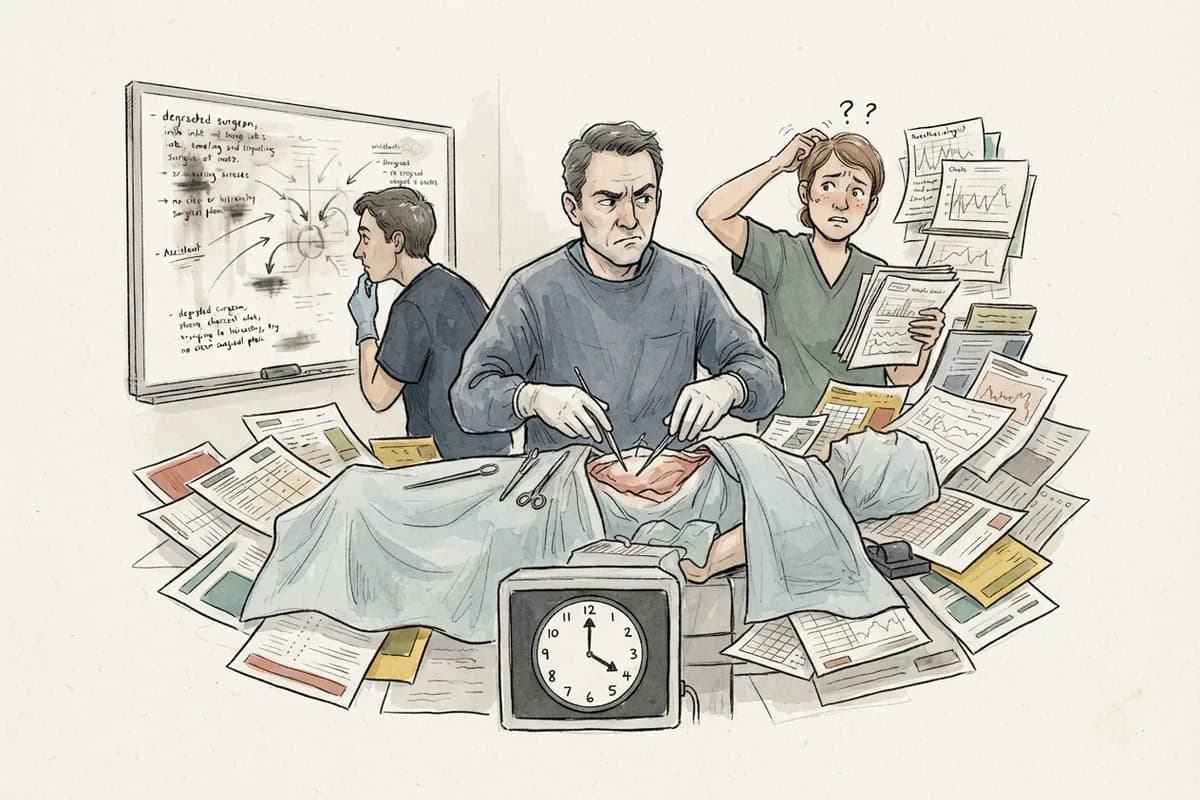
Picture a surgeon mid-operation. The surgical team knows exactly what they are doing because of the briefing that happened right before the first incision. The patient's chart was reviewed, the approach was agreed on, the risks were flagged. Everyone is aligned. But then something unexpected happens two hours in, the team shifts, and by hour four, the people still in the room are working off a mix of current information and faded memory of things said at the start. The briefing is gone. The notes are somewhere else. And the decisions made at hour one are getting relitigated because nobody remembers what was settled.
That is a long AI after about an hour of real work.
What the Context Window Actually Is
Every AI model operates with two distinct things. The first is everything it learned during : patterns, language, concepts, and information absorbed from enormous amounts of text before you ever opened a chat window. That knowledge is baked in. You do not supply it and you cannot change it.
The second thing is the . This is the live working space for your current conversation. Everything the model can actively consider at this moment lives here: your messages, its responses, any documents you pasted in, the decisions you worked through together. The context window is not a permanent record. It is more like the surface of a workbench. Finite space, actively used, and constantly being rearranged as new material comes in.
Here is the that creates the problem: the context window has a size limit. As a conversation gets longer, earlier content either compresses or effectively falls out of active consideration. The model is not lying to you when it seems to forget something you covered forty messages ago. It is operating on a workbench that only holds so much at once.
How Long Conversations Go Wrong
The failure is not dramatic. It is gradual. You are working through something real, a complex writing project, a technical build, a research brief, and the conversation accumulates decisions, constraints, and course corrections as you go.
By sixty, the is carrying all of that history. The model is working with a compressed, imperfect version of the early work while juggling the current thread. This is where the muddy answers start. Old constraints get mixed with new ones. An approach you explicitly ruled out in turn fifteen shows back up as a suggestion in turn fifty. The model remembers that you talked about something but not precisely what was decided. You start spending more messages correcting the model than moving the work forward. The conversation has become a swamp.
The instinct is to keep pushing forward, adding more reminders, correcting the corrections, repeating context that you have already stated. This makes it worse. More messages means more history for the model to misweight. You are not solving the problem. You are deepening it.
The Actual Fix: A Working Brief
The solution is not to provide more context into a degraded conversation. It is to extract a clean working brief and start fresh.
A working brief is not a summary of what happened. It is a capture of what is currently true. Think of it as the pre-op briefing for the next session rather than the minutes from the last one. It answers one question: what does the next conversation need to know in order to pick up exactly where this one should have left off?
A good working brief captures the current goal, the current state of the work, things that must not change, important details that will affect what comes next, decisions that are already made, open questions that still need answers, risks worth double-checking, and a clear statement of what to do first in the next session.
When you have that brief, you have two options. You can paste it back into the same chat as a reset anchor and continue from there, treating it as the new source of truth and ignoring the muddy history above it. Or you can open a fresh conversation, paste the brief in as your first message, and pick up at full clarity. Either way, you are starting the next phase from a clean workbench instead of a cluttered one.
Reading the Brief Is Still Your Job
One thing this does not change: you still have to read the brief yourself before you rely on it.
Generating a working brief involves the same model that was already working in a degraded context. It will produce something structured and coherent, but structured and coherent are not the same as accurate. Read it the way you would read any AI-generated summary. Verify the decisions it captures against what you actually decided. Confirm the open questions reflect what is actually open. The brief is a tool, and like any AI output, it benefits from a human check before being acted on.
A Ready-Made Skill for This
If you use Claude.ai and want to systematize this process, there is a purpose-built skill available at no cost. The context-summary skill, created by Bhaskar Pandey, generates a structured seven-block session handoff whenever you trigger it. The seven blocks are: state, current head (the live state of what you are building), locked decisions, active gotchas, open questions, an archive pointer, and a paste-ready prompt to start the next session immediately. The format is fixed, so nothing gets accidentally omitted.
The trigger is simple. Type any of these phrases and the skill runs: context summary, context handoff, give me the handoff, or carry context forward.
Installing the skill takes about two minutes:
- Go to github.com/thebpandey/context-summary and copy the raw contents of the SKILL.md file. The direct link to the raw file is: https://raw.githubusercontent.com/thebpandey/context-summary/main/SKILL.md
- Open claude.ai, click your profile icon in the bottom-left, and go to Settings.
- In Settings, find the Skills section (sometimes labeled Plugins), select Personal Skills, and click Add Skill.
- Paste the full contents of SKILL.md into the editor and save. The skill name will populate automatically.
To verify it worked, start a new conversation and type context summary. Claude should immediately produce the seven-block handoff structure without asking for instructions. If it asks you to explain what to do, the skill file did not save correctly. Re-paste and include the frontmatter at the very top of the file, which is what Claude uses to recognize the trigger phrases.
The Bottom Line
The context window is not a flaw. It is a design constraint, and like any constraint, the people who understand it use it better than the people who do not. Long conversations accumulate invisible debt. Early decisions compress, get misweighted, or vanish. The fix is not pushing harder into a degraded session. It is converting the messy session into a clean brief and picking back up from there. Keep the workbench clear, and every session starts at full clarity instead of fighting through the residue of the last one.