How to Make AI Respond Better by Telling It What Not to Do
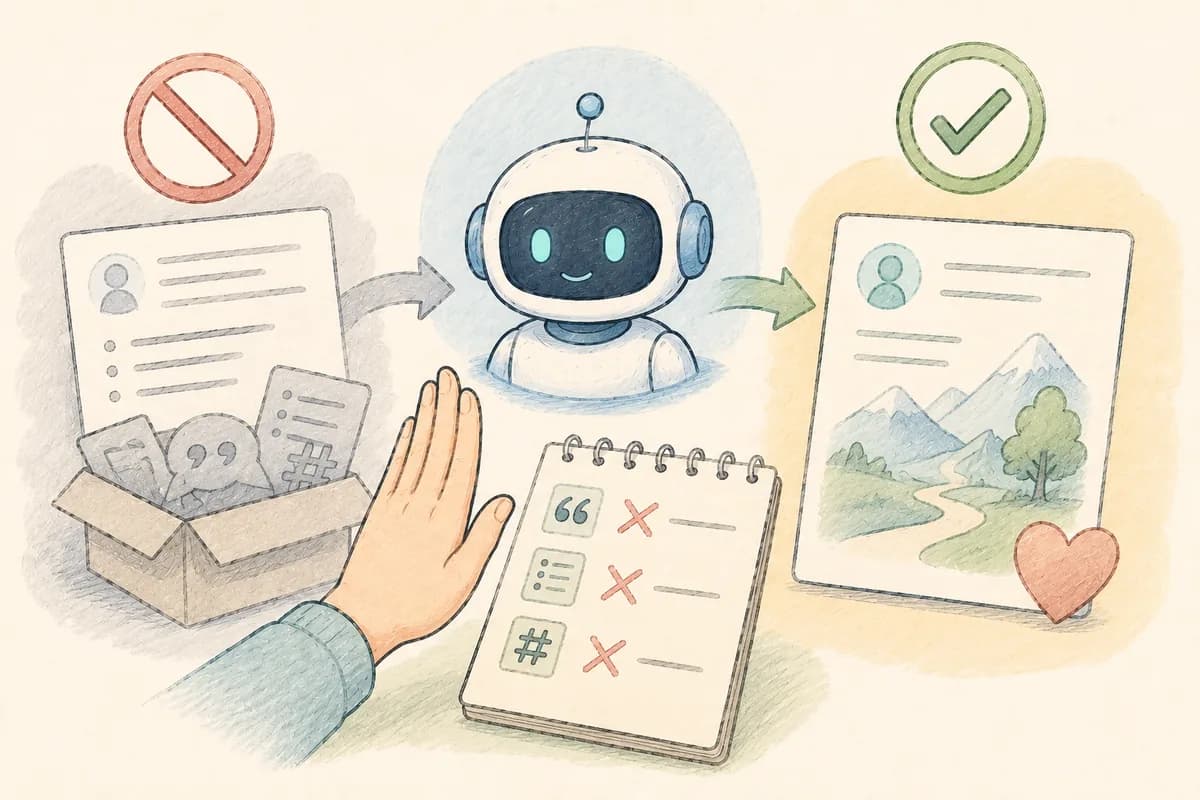
Ask any AI tool to write a LinkedIn post about a project that failed, and you can predict the output before you hit enter. It will open with something philosophical ("Failure is the best teacher"). It will present a bulleted list of Lessons Learned. It will close on an inspirational note and finish with a row of hashtags.
This is not a quirk of one product. ChatGPT, Claude, and Gemini all do it, because they were all trained the same basic way, on enormous piles of human writing. And buried in that fact is the most useful trick nobody teaches beginners: the fastest way to a better answer is often telling the AI what NOT to do.
AI Has Tics, and They're Predictable
Every AI tool has recognizable habits. The same kinds of openers ("In today's fast-paced world," "I wanted to take a moment"). The same filler phrases. The same tidy closing sentences ("wishing you all the best in your next chapter"). Once you start noticing them, you see them everywhere.
These tics exist because AI predicts text based on patterns, and it gravitates toward the most common patterns in its . When millions of farewell emails end the same way, the AI ends its farewell emails that way too. It's not lazy. It's average, by design.
Which raises the question: if you know the average is coming, why not block it in advance?
Why "Make It Better" Fails
Most people try the opposite approach first. The draft feels generic, so they ask for improvements: "make it warmer," "make it more personal," "make it less generic."
Here's the trap. When you ask an AI for warmth, it gives you its statistical average of warmth, the middle of every warm it was ever trained on. Ask for "personal" and you get the average idea of personal, which is by definition not personal at all. So asking for improvements creates a loop. Each round produces a slightly different version of the same bland output, and three drafts later you have four polished messages that all sound like the same greeting card.
The tool didn't hit a ceiling. The did.
Recognition Beats Description
The way out rests on a simple asymmetry.
A perfect message is nearly impossible to describe before you've seen one. Try it. What makes the perfect cover letter, the perfect apology, the perfect farewell note? "It should be good"? "It should sound like me"? Those are wishes, not instructions.
But a bad version? You can diagnose a bad version in fifteen seconds. Read the draft and the problems announce themselves. "It opened with a filler phrase." "It called her an 'invaluable asset.'" "It ended with the 'next chapter' line." You couldn't describe perfect, but you can name exactly what makes this draft hollow.
That asymmetry is the whole technique. Since spotting bad is easy and describing good is hard, let the AI produce a draft, spot the specific failures, and rule them out.
Professionals already work this way. A significant percentage of the instructions inside serious AI products, the behind-the-scenes companies write for their AI features, focus on what the AI should NOT do. Negative instructions carve away bad output more reliably than positive instructions summon good output.
A Walkthrough: The Retirement Message
Here's the technique on a real task. A friend of mine needed a farewell message for a coworker retiring after fifteen years. The AI's first draft was sweet, structured, and completely interchangeable. Swap the name and it would work for a stranger.
She had already been through the "make it warmer" loop and gotten nowhere. So instead, she read the bland draft and named three specific patterns she disliked:
- It opened with "I wanted to take a moment," which says nothing.
- It leaned on corporate praise words like "invaluable" and "dedication" instead of anything real.
- It closed with "best of luck in your next chapter," the ending of roughly every farewell message ever generated.
Then she reran the prompt with those three patterns explicitly banned: "Don't open with 'I wanted to take a moment' or any variation. Don't use the words invaluable, dedication, or asset. Don't end with anything about a 'next chapter.'"
The next draft was noticeably better. Recognizably about a real person.
Understand what happened there, because it's not magic. The model did not become more creative. Its capability never changed. The improvement came from narrowing the canvas. The most common patterns were fenced off, so the AI had to reach for less common ones, and less common turned out to mean more specific and more human.
The same move fixes the LinkedIn post from the opening. Ban the philosophical opener, ban the bulleted lessons, ban the hashtags, tell it to start mid-story. The machinery that produces LinkedIn-flavored mush switches off, and what comes out reads like a person wrote it.
Your Three-Step Routine
To use this on your own work:
- Find one or two specific things you dislike in the draft. Not the vibe. The actual text. "It was bland" is a feeling, and the AI cannot avoid a feeling.
- Name the pattern. "It opened with 'I am writing to express'" is a pattern the AI can avoid. "It felt stiff" is not.
- Rerun the prompt with the don'ts added. "Same request, but don't open with a question, don't use the word 'delve,' and don't end by offering to 'discuss further.'"
Run the experiment once. The next draft will typically look noticeably different from everything the "make it better" loop produced. Fifteen seconds of diagnosis buys more improvement than five rounds of revision requests.
Graduate Move: The Standing Ban List
Experienced AI users stop doing this one draft at a time. They keep a short list of standing instructions covering the tics they hate most and paste it at the end of their requests:
"Never open with 'In today's fast-paced world.' Never use 'game-changer,' 'unlock,' or 'take it to the next level.' No rhetorical questions as openers. No closing summary that restates the message."
Written once, reused forever. Every draft arrives pre-steered away from the writer's least favorite patterns, before editing even begins.
The Bottom Line
AI defaults to the average, and positive requests like "warmer" or "more personal" just ask for a different flavor of average. Negative instructions work because they exploit the one thing you're already good at: recognizing what's wrong. When a draft feels generic, skip the wish for "better." Name the two or three patterns that make it hollow, ban them, and run it again. Fencing off the average is how you force the AI off the greeting card rack.